Agent Ops
AI agents don't behave like traditional software — they can respond differently every time. That makes them harder to test, trust, and troubleshoot. Agent Ops is a framework for testing, monitoring, and improving AI agents from development through production.
The capabilities below are built for watsonx Orchestrate agents using the Agent Development Kit (ADK). For LangGraph/LangChain agents, see LangGraph Agent Evaluation at the bottom of this page.
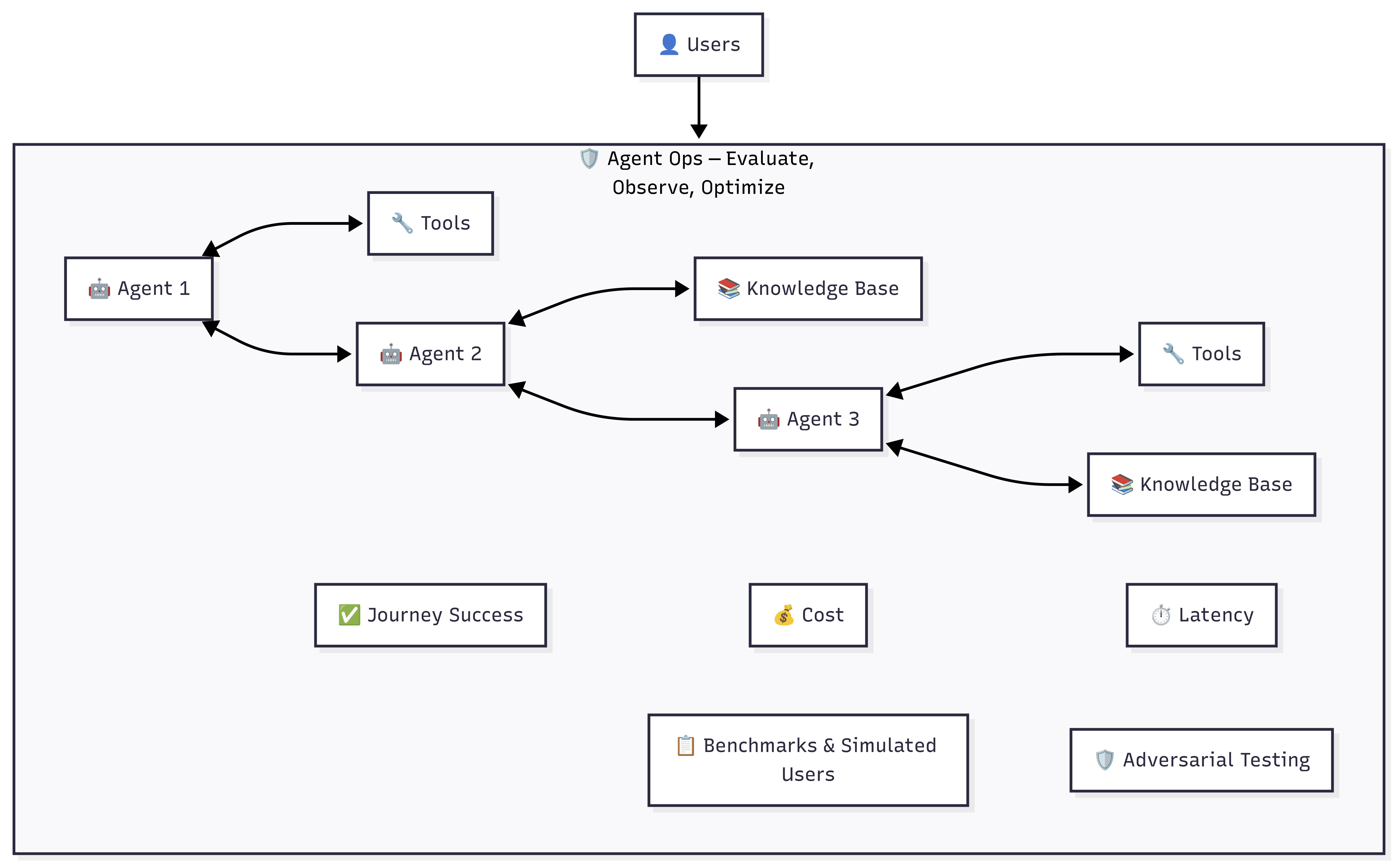
Why This Matters
- Agents are non-deterministic. The same input can produce different outputs, making traditional testing insufficient.
- Failures are hard to diagnose. When an agent calls the wrong tool or hallucinates a response, tracing the root cause requires structured analysis.
- Manual testing doesn't scale. Testing every user scenario by hand creates bottlenecks that slow deployment.
- Cost and latency are unpredictable. Without observability, agents can burn through token budgets or create unacceptable latency without anyone noticing.
Capabilities
| Capability | What It Does |
|---|---|
| Evaluate | Simulate real users at scale to verify the agent does what it's supposed to do |
| Analyze | Pinpoint exactly where and why an agent went wrong |
| Quick-Eval | Fast sanity check — catch structural issues early without writing full test cases |
| Generate | Turn plain-English user stories into automated test scenarios |
| Red-Team | Stress-test agent security against prompt injection, social engineering, and jailbreaking |
| Observe | Track cost, latency, and token usage per interaction with full traceability |
Evaluation Workflow
graph LR
    A["Quick-Eval<br>Sanity check"] --> B["Generate<br>Create benchmarks"]
    B --> C["Evaluate<br>Full testing"]
    C --> D["Analyze<br>Diagnose failures"]
    D --> E["Red-Team<br>Security testing"]
E --> F["Observe<br>Cost & latency"]- Quick-Eval — Fast referenceless validation to catch tool schema issues
- Generate — Auto-create benchmarks from plain-English user stories
- Evaluate — Run full evaluation with LLM-simulated users
- Analyze — Diagnose failures with default and enhanced analysis modes
- Red-Team — Test against 15 adversarial attack types
- Observe — Track cost, latency, and token usage via Langfuse
Metrics Reference
Agent Metrics
| Metric | Target | What It Measures |
|---|---|---|
| Journey Success | 1.0 | All goals completed (binary) |
| Journey Completion % | 100% | Percentage of goals met |
| Tool Call Precision | >= 0.5 | Correct calls / total calls made |
| Tool Call Recall | >= 0.9 | Expected calls made / total expected |
| Agent Routing F1 | >= 0.9 | Harmonic mean of precision and recall |
RAG Metrics
| Metric | Target | What It Measures |
|---|---|---|
| Faithfulness | >= 0.8 | Answer grounded in retrieved docs |
| Answer Relevancy | >= 0.7 | Answer addresses the question |
| Response Confidence | > 0.5 | LLM confidence in generated response |
Red-Teaming Attack Types
| Category | Attacks |
|---|---|
| On-policy | instruction_override, emotional_appeal, role_playing, hypothetical_scenario, authority_impersonation, crescendo_attack |
| Off-policy | jailbreaking, prompt_leakage, topic_derailment, social_engineering, data_extraction |
LangGraph Agent Evaluation
For teams building agents with LangGraph or LangChain, a Python SDK package (wx_gov_agent_eval) is also available. It provides three evaluator classes — BasicRAG, ToolCalling, and AdvancedRAG — integrated with IBM watsonx governance for metrics and factsheet tracking.
LangGraph Agent Evaluation Assets
Bob Skills
A Bob skill for Agent Ops is available, giving Bob the expertise to plan and run evaluations, red-teaming, and runtime observability for watsonx Orchestrate agents across Developer Edition and SaaS — benchmark authoring, metric diagnosis, attack catalog, traces, and Langfuse cost analysis.
Bob Modes
A Bob mode for Agent Ops evaluation is available, providing an AI-assisted workflow for automated agent evaluation with WXO agents in Bob.
GitHub Repository